AI-powered n8n workflow builders simplify automation by combining a visual, drag-and-drop interface with advanced AI capabilities.
Here’s what you need to know:
- What is n8n?
A node-based platform for automating tasks by connecting apps via APIs. It supports over 500 integrations and allows custom scripting in JavaScript or Python. - AI Features:
- AI Workflow Builder: Create workflows using plain English prompts.
- AI Agents: Automate decision-making and multi-step tasks with large language models (LLMs).
- Human-in-the-loop: Add manual approval steps for critical actions.
- Key Benefits for Businesses:
- Reduces manual work and coding requirements.
- Handles unexpected scenarios intelligently.
- Offers self-hosting for data control and compliance (e.g., HIPAA, GDPR).
- Security and Deployment:
SOC 2 compliant, supports encrypted credentials, and offers flexible deployment options (cloud, self-hosted, or on-premises).
AI-powered n8n workflows are ideal for businesses looking to save time, improve efficiency, and maintain control over sensitive data.
In this article...
Core Features of n8n Workflow Automation
 How n8n Workflows Work
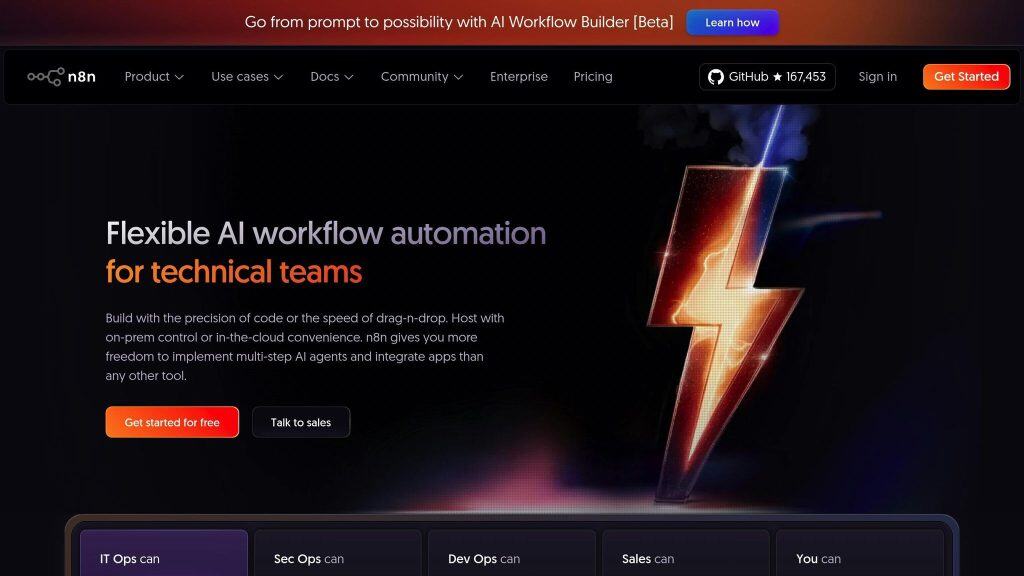
At its heart, n8n operates on a node-based architecture, where each node represents a specific task or a connection to an application. Workflows begin with triggers, which can be anything from app events and webhooks to scheduled cron jobs or chat interactions. Once a trigger activates, the workflow moves through action nodes, performing tasks like sending emails, updating databases, or transforming data.
What sets n8n apart is its real-time visual feedback. As you configure a workflow, outputs appear right next to the settings, providing instant clarity. You can also execute individual steps or replay data without restarting the entire workflow. This design makes testing and debugging much more efficient compared to traditional automation tools.
For more advanced workflows, n8n includes features like branching (using if/switch logic), looping through data sets, merging multiple data streams, and filtering records. Impressively, the platform can manage up to 220 workflow executions per second on a single instance.
Integration and Customization Options
n8n offers an impressive library of over 400 native integrations, saving users from writing repetitive boilerplate code. These integrations cover a wide range of tools, from CRMs and databases to communication platforms and marketing solutions. For services without a pre-built node, the HTTP Request node allows connections to any REST API, even supporting direct imports of cURL commands. When factoring in community-built nodes, the total integration count exceeds 500.
For users needing more flexibility, n8n supports custom code through “Code Nodes”, where you can use JavaScript or Python to handle complex data transformations.
A great example of n8n’s power comes from SanctifAI, a company led by CEO Nathaniel Gates. Using n8n’s visual builder, they streamlined workflows for over 400 workforces, completing their first automation in just 2 hours – a process that was three times faster than their previous Python-based approach with LangChain. This shift allowed product managers, not just engineers, to build and test automations directly.
“There’s no problem we haven’t been able to solve with n8n.”
– Nathaniel Gates, CEO, SanctifAI
Security and Compliance Features
When it comes to security, n8n doesn’t cut corners. The platform is SOC 2 audited and supports workflows that comply with HIPAA and GDPR standards through features like audit logging and database-level encryption. Credentials are protected using a persistent encryption key (N8N_ENCRYPTION_KEY), ensuring sensitive tokens aren’t hardcoded into workflow nodes.
For organizations dealing with sensitive data, self-hosting options are available via Docker or Kubernetes, allowing you to maintain complete control over your data within your own infrastructure. The platform also includes Role-Based Access Control (RBAC), offering roles like Admin, Editor, Viewer, and Auditor, and supports Single Sign-On (SSO) through SAML, OIDC, and LDAP.
Network security is further bolstered with webhook authentication via HMAC signatures, tokens, or signed headers. For even greater protection, workflows can be restricted behind VPNs or IP allow-lists. Additionally, n8n includes human-in-the-loop nodes, enabling manual approvals and scriptable filters to validate data before it interacts with large language models.
| Security Feature | Description | Implementation Level |
|---|---|---|
| RBAC | Defines permissions for Admin, Editor, Viewer, and Auditor roles | Application |
| SSO | Centralizes access via SAML, OIDC, or LDAP | Infrastructure/Enterprise |
| Credential Manager | Encrypts and stores API keys and tokens separately from workflows | Application |
| Human-in-the-loop | Requires manual intervention before an AI agent executes an action | Workflow |
| Audit Logs | Tracks all user logins, credential uses, and workflow modifications | Application/Database |
With these robust security measures and customization options, n8n provides a solid foundation for building secure and flexible workflows. Up next, we’ll dive into how AI capabilities enhance the platform even further.
AI Capabilities in n8n Workflow Builders
Manual vs AI-Assisted Workflow Building in n8n
AI Workflow Builder
The AI Workflow Builder takes your plain-English instructions and turns them into fully functional workflows. Note: it’s credit-based, so the amount chat credits depends on your n8n subscription level.
For example, you might type, “Send a Slack message when a new row is added to Google Sheets”, and the system will automatically configure the necessary nodes to make it happen. This feature operates on a credit system: each action – whether creating, modifying, or refining a workflow – uses one credit, while failed attempts don’t count.
If you want a clean slate, the /clear command resets the LLM’s context. Importantly, text prompts, node definitions, and your workflow structure are shared with the LLM to process your request, but sensitive data like credentials and past execution logs are never included for privacy reasons.
Now, let’s dive into how AI agents take automation a step further.
AI Agents and Large Language Model Integrations
While the AI Workflow Builder helps you create automations quickly, AI agents go beyond that by making decisions within workflows on their own. These agents use advanced LLMs, such as OpenAI and Anthropic, to understand goals, select tools, and adapt to changing conditions rather than sticking to rigid instructions.
With n8n’s Nodes-as-Tools feature, AI agents can operate over 20 popular integrations, like Google Sheets and Telegram, to perform real tasks.
For services without a pre-built node, they can use the HTTP Request tool to interact with any REST API.
Additionally, the $fromAI() function allows the LLM to dynamically set parameters based on the task’s context.
To ensure workflows maintain context across multiple interactions, n8n offers memory systems like “Window Buffer Memory” and “Simple Memory.” You can also assign a session key, such as a chat ID, to keep the conversation history separate for different users. For added control, human-in-the-loop nodes require manual approval before an AI agent can execute critical actions, providing an extra layer of oversight.
As Fabian Strunden, AI Product Lead at n8n, puts it:
“n8n is about help, not hype. Combine AI with pre-defined logic to gain more control over outputs.”
Manual vs. AI-Assisted Workflow Building
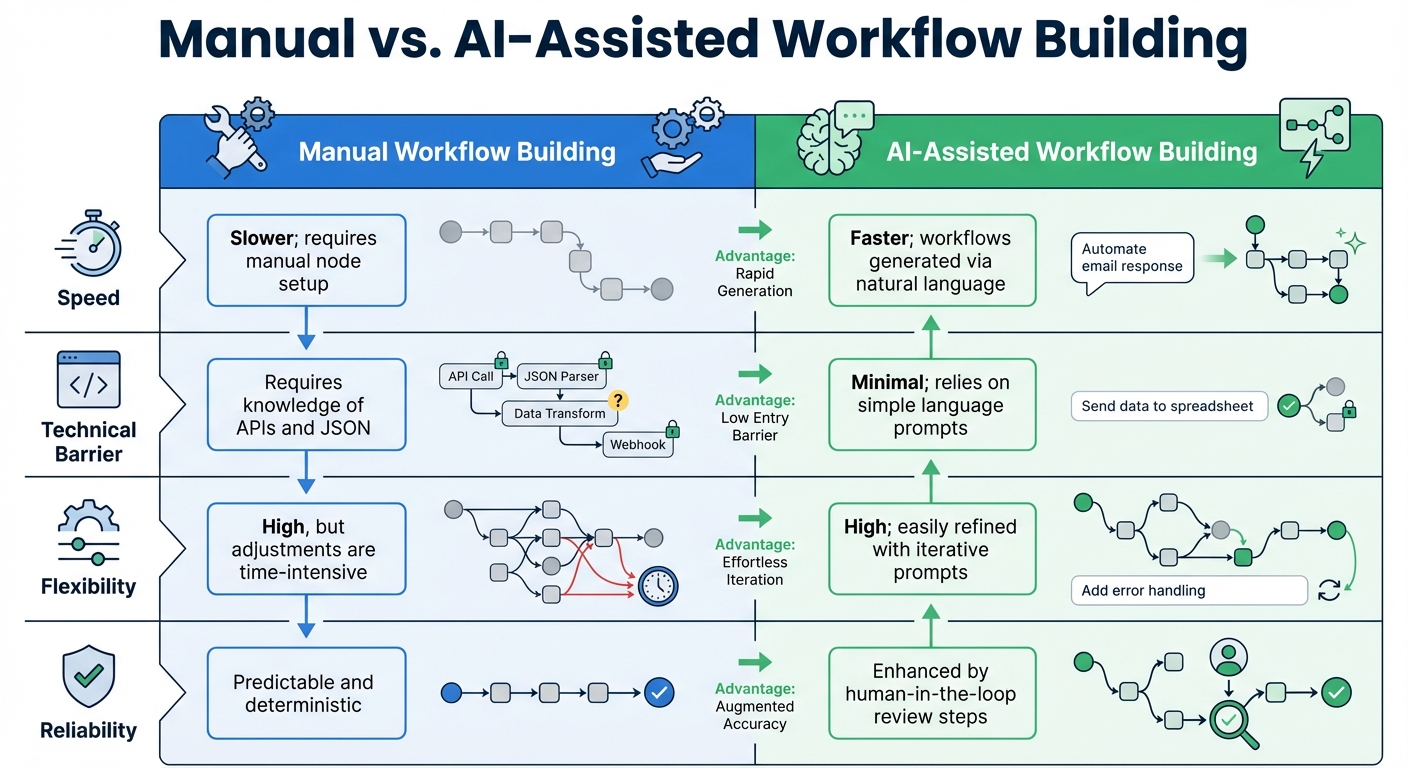
When comparing traditional manual configuration to AI-assisted workflow creation, the differences come down to speed, complexity, and ease of use. Manual workflows require detailed planning and technical know-how, while AI-assisted workflows let you describe your needs in natural language and refine them through iterative feedback.
| Aspect | Manual Workflow Building | AI-Assisted Workflow Building |
|---|---|---|
| Speed | Slower; requires manual node setup | Faster; workflows generated via natural language |
| Technical Barrier | Requires knowledge of APIs and JSON | Minimal; relies on simple language prompts |
| Flexibility | High, but adjustments are time-intensive | High; easily refined with iterative prompts |
| Reliability | Predictable and deterministic | Enhanced by human-in-the-loop review steps |
While manual workflows are predictable and straightforward, AI-assisted workflows excel in speed and adaptability. However, to ensure they meet your exact needs, incorporating review processes is key.
AI-Powered Workflow Use Cases in Healthcare Marketing
Common Healthcare Marketing Automation Patterns
AI-driven tools are transforming healthcare marketing by streamlining processes and improving efficiency. Three primary automation patterns stand out in this space:
- Centralized data pipelines: These integrate systems like EHRs, CRMs, and marketing platforms using standards such as HL7 and FHIR, creating a cohesive data flow.
- Event-driven patient engagement: Automated workflows are triggered by specific events, such as admissions or lab results, ensuring timely communication.
- AI-based lead prioritization: Advanced algorithms analyze unstructured patient data to identify and route high-priority inquiries automatically.
For example, a radiology group can drastically reduce manual work by automating the monitoring of over 1,000 daily emails.
Using n8n workflows and custom code, they can parse patient identifiers and case numbers, cutting manual effort by 80% and ensuring urgent cases were addressed promptly.
Similarly, another healthcare provider leveraged n8n with a local LLM (Ollama) to summarize staff timesheets for billing purposes, reducing reporting time from hours to just minutes.
How Mazzi Studios Supports Healthcare Clients
Mazzi Studios specializes in building secure, AI-powered workflows tailored for healthcare marketing. Their approach combines automation with a strong focus on compliance, addressing the unique challenges of handling sensitive healthcare data.
To meet HIPAA requirements, Mazzi Studios emphasizes self-hosted n8n deployments on private, secure infrastructure using Docker. This ensures Protected Health Information (PHI) remains within the client’s control, avoiding the risks associated with cloud-only tools. By implementing local AI processing with models like LLaMA or Mistral, they enable data analysis for tasks like marketing summaries and lead prioritization without exposing PHI to third-party AI providers.
Their workflows include human-in-the-loop safeguards, requiring manual approval for critical communications. Additionally, encrypted secret stores and detailed audit logs ensure secure data handling and simplify compliance audits.
Healthcare Workflow Automation Examples
Real-world examples highlight the practical benefits of these automated solutions:
- Automated appointment reminders: A clinic used an n8n workflow to integrate WhatsApp, Telegram, and Google Calendar. AI agents managed patient inquiries, transcribed audio with OpenAI Whisper, and sent next-day appointment confirmations. This system improved communication and significantly reduced no-show rates.
- Lead nurturing sequences: AI-driven workflows personalize outreach at scale. For instance, LLMs like GPT-4o-mini customize email content with recipient names and professional signatures, enhancing engagement while keeping API costs low. Smart rate limiting, with random delays and batch processing, ensures high deliverability and avoids spam filters. Integration with Google Sheets timestamps outreach, preventing duplicate efforts and maintaining clean databases.
- Performance reporting workflows: Data analysis becomes effortless with AI. Specialized agents like a Business Analyst, Process Mapper, and ROI Calculator work together to identify automation opportunities. These workflows generate ROI reports in under 60 seconds for just $0.25, compared to 2–3 hours of manual work costing $300–$500. Organizations using these tools have uncovered personalized opportunities, saving over $50,000 annually.
sbb-itb-a60aae4
Maintaining and Scaling AI-Powered Automations
Monitoring and Performance Optimization
Once you’ve integrated AI into your workflows, keeping them running smoothly and scaling them effectively is essential. Tools like n8n make this easier by offering visual workflows and inline logs, which allow you to inspect every step of an AI agent’s actions and data flow. This level of visibility helps pinpoint bottlenecks and errors quickly. Features like Evaluations for AI Workflows can identify issues like model drift or performance regressions, giving you the insights you need to tweak prompts or switch models as necessary.
Keeping an eye on token usage in real time is another key factor in managing costs effectively. With the Debug in Editor feature, you can replicate and fix problems by pinning data from failed executions directly into the workflow editor. To add an extra layer of oversight, manual approval nodes can be included for critical actions, ensuring that significant changes require human review before they’re implemented. Proactive alerts for “Stop and throw error” nodes can also be configured, so you’ll know immediately when workflows halt. These monitoring practices form the backbone of scalable, reliable, and compliant automated systems.
Maintaining Compliance and Safety at Scale
As automations grow more intricate, version control becomes a must-have. With n8n’s version history, you can revert to earlier, stable states if a new AI prompt or model update causes issues. Git-based versioning also provides a way to track updates and quickly roll back changes, especially when dealing with sensitive data.
Security measures become increasingly important as workflows expand. Controlled access ensures only authorized personnel can make changes. Pre-LLM data filters and output parsers help validate and structure data properly, minimizing risks.
For managing credentials securely, external secret stores like AWS Secret Manager, Azure Key Vault, or HashiCorp Vault are excellent options. Additionally, custom log streaming can send workflow execution data to third-party aggregators, creating a centralized audit trail for compliance purposes.
Scaling Workflows Across Teams and Organizations
Take a cue from Mazzi Studios, which supports healthcare clients by scaling AI-driven workflows while maintaining governance and compliance. Our approach includes using isolated environments – such as staging or development setups – to test changes before they go live. This prevents disruptions in production systems. For healthcare-specific workflows, rigorous testing ensures that patient data remains secure and that compliance requirements are met, building on the security and monitoring practices discussed earlier.
To keep costs in check, event-driven triggers ensure AI models only run when necessary. Retry mechanisms with exponential backoff are another smart addition, as they help manage temporary API or service outages without derailing entire workflows. This approach allows organizations to start small – perhaps with one department – and then gradually roll out automations across teams, all while maintaining consistent security and operational standards.
A New Paradigm Shift
AI-powered n8n workflow builders represent a shift from basic rule-based systems to smarter, context-aware automation tools. For healthcare marketing teams in the United States, this means the ability to handle unstructured data and make decisions on the next steps without constant human intervention.
The platform’s self-hosting option is a game-changer for maintaining data privacy and meeting HIPAA standards. This feature is especially critical as over 80% of healthcare organizations are currently investing in automation to boost operational efficiency.
What’s more, n8n delivers technical flexibility that caters to a wide range of users. Non-technical team members can build automations using natural language, while developers have the option to incorporate custom JavaScript when needed. As one user described it:
“n8n is a beast for automation. self-hosting and low-code make it a dev’s dream. if you’re not automating yet, you’re working too hard.” – Anderoav
For healthcare marketers, the ability to connect legacy EHR systems with modern communication tools like WhatsApp, SMS, and email simplifies patient interactions and creates smoother journeys. By incorporating human-in-the-loop safeguards for sensitive information, these workflows strike a balance between efficiency and safety. Together, these tools enable operational improvements that are both impactful and secure.
FAQs
How can AI-powered n8n workflows improve business automation?
AI-powered n8n workflows take automation to the next level by replacing rigid, rule-based systems with smarter processes that can analyze information, identify patterns, and make decisions in real time. With the AI Workflow Builder, users can simply input natural language descriptions, and the system automatically selects and configures the appropriate nodes. This not only saves time but also minimizes the need for complex coding expertise.
These workflows are capable of managing tasks like predictive analytics, document parsing, and intelligent routing. Businesses can leverage them to streamline operations in areas such as customer support, marketing campaigns, or healthcare data management. The result? Faster processes, lower costs, and the ability to scale seamlessly as workflows adapt and optimize themselves to meet increasing demands.
How does n8n ensure the security of sensitive data?
n8n employs several security measures to safeguard sensitive data. All data in transit is protected using SSL/TLS encryption, while stored credentials and workflow data are encrypted with an environment-specific encryption key. This ensures that data remains secure and inaccessible without proper authorization.
To manage access, n8n includes two-factor authentication (2FA) and role-based access control (RBAC). These features ensure that only authorized users can view or modify workflows and credentials. Furthermore, sensitive details like API keys and passwords are stored in a dedicated credential store, separate from workflow logic, reducing the risk of exposure.
For organizations that need more control, n8n provides a self-hosted option. This allows you to oversee infrastructure, encryption, and data handling within your own secure environment. Additionally, n8n is SOC 2 compliant, adhering to industry standards for security, privacy, and data integrity – offering confidence when managing sensitive information.
Can someone without technical skills create workflows using n8n?
n8n is designed to be easy to use, even if you don’t have any coding experience. Its visual drag-and-drop editor lets you connect more than 500 integrations effortlessly – no coding required. On top of that, the AI Workflow Builder allows you to simply describe what you want to automate, and it will create the workflow for you.
For those just starting out, n8n offers pre-made templates and step-by-step guides to help you hit the ground running. These resources make it simple for non-technical users to build workflows for tasks in areas like marketing, healthcare, or productivity – saving both time and effort.
Related Blog Posts
- AI Content Optimization for Healthcare
- Vibecoding in Todays World
- AI Agents in Healthcare Marketing: Personalization, Compliance, and Scalable Patient Engagement
- AI-Powered Insights for Healthcare Marketers
Last Updated on March 18, 2026.

Marketing leader, drummer, husband and father of two amazing teenage athletes. Ricardo has been involved in digital marketing for over decades holding leadership positions for various healthcare tech companies. He founded Mazzi Studios during the pandemic to help businesses of all industries plan and execute marketing strategies.