
Healthcare marketing analytics is essential for understanding patient behavior, improving campaigns, and meeting compliance requirements like HIPAA. Here are 7 free tools that can help healthcare organizations in the U.S. track performance, enhance engagement, and stay compliant:
- Google Analytics 4 (GA4): Tracks user/patient actions and integrates with Google tools but isn’t HIPAA-compliant unless paired with anonymization tools.
- Looker Studio: Creates custom dashboards for visualizing data from multiple sources; requires careful configuration for compliance.
- Google Search Console (GSC): Provides insights into search performance and keywords driving traffic; limited to non-sensitive data.
- Meta Business Suite Insights: Monitors Facebook and Instagram engagement; use only for public-facing pages to avoid handling sensitive data.
- LinkedIn Analytics: Offers professional demographic data and tracks engagement; not suitable for managing Protected Health Information (PHI).
- Hotjar: Visualizes user behavior with heatmaps and session recordings; requires suppression of sensitive data for compliance.
- HubSpot CRM (Free Tier): Manages patient interactions and marketing data while offering HIPAA-compliant features.
Important: These tools are free, but compliance with HIPAA regulations requires proper setup, data anonymization, and careful use. For healthcare marketers, combining these tools effectively can provide a clear view of patient behavior while maintaining data security.
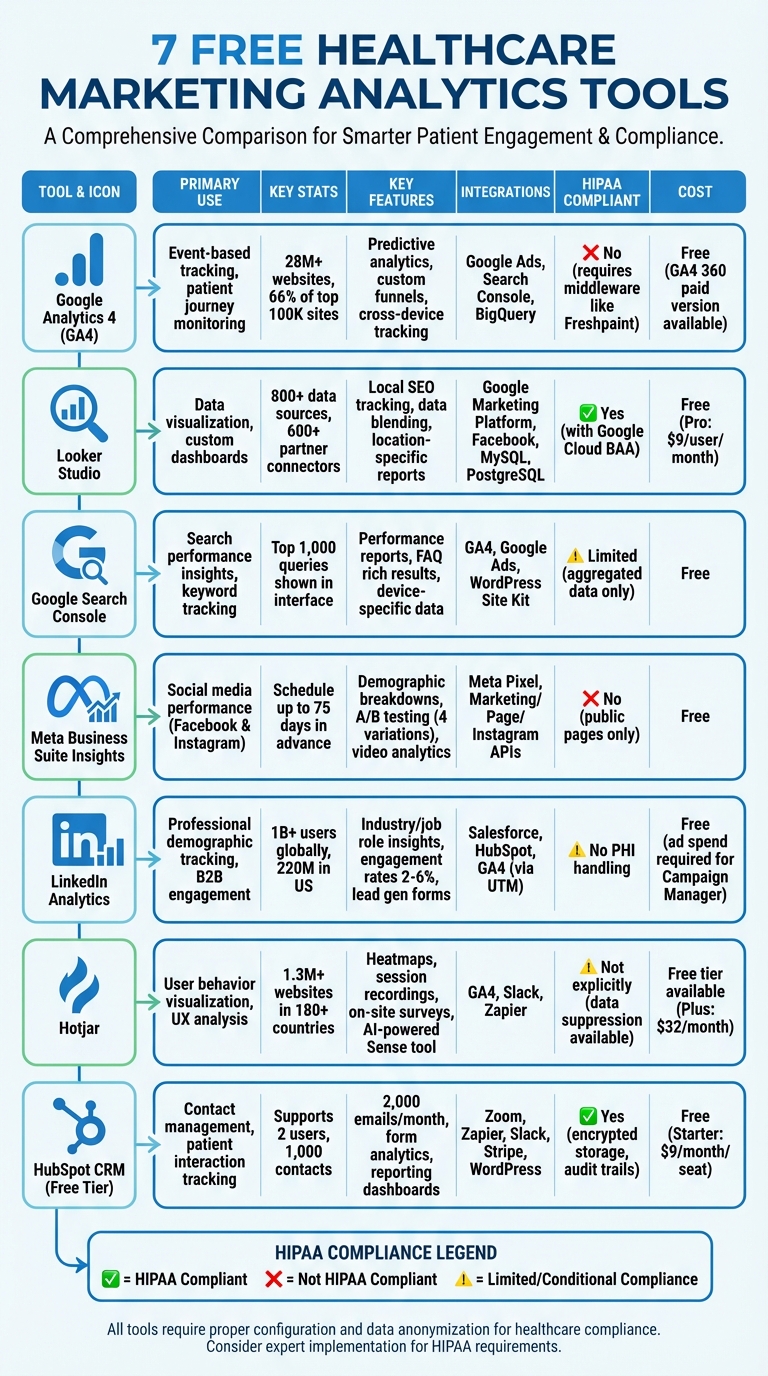
7 Free Healthcare Marketing Analytics Tools Comparison Chart
In this article...
1. Google Analytics 4 (GA4)
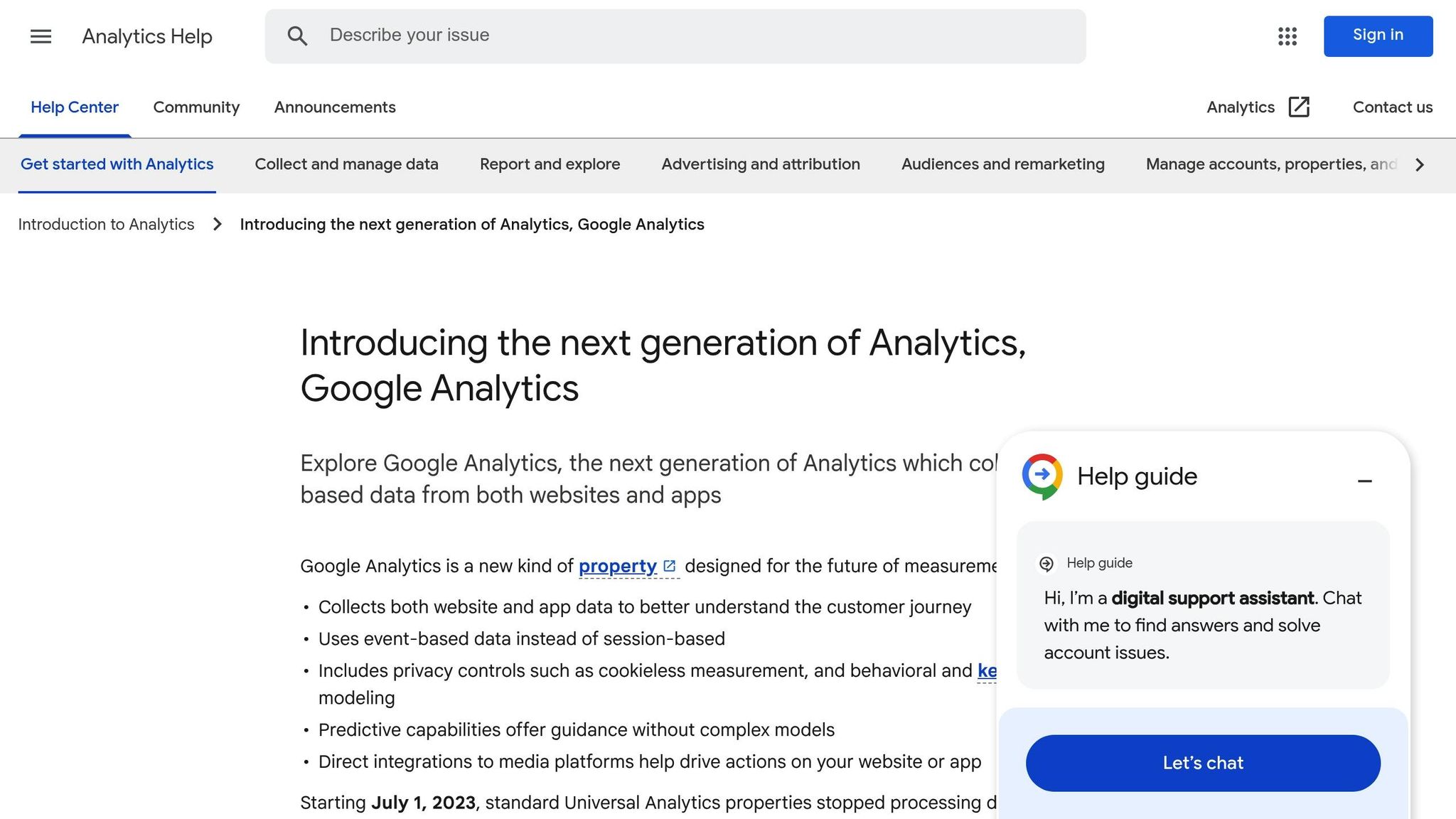
Good ol’ Google Analytics 4 (GA4) is a powerhouse in the world of analytics, used by more than 28 million websites, including 66% of the top 100,000 sites. For healthcare marketers, GA4 brings event-based tracking to the table, allowing you to monitor specific patient actions like “appointment_scheduled” or “portal_login” across multiple devices. This means you can follow a patient’s journey seamlessly, no matter how many devices they use. Custom event tracking may be required.
GA4 also leverages machine learning to provide predictive analytics, helping you identify marketing strategies that lead to conversions. This allows you to focus your ad spend on high-value patient segments.
On top of that, the Explore tool lets you create custom funnels to see where potential patients drop off during key processes, like registering for an appointment or booking a service.
For example, a healthcare provider could use these insights to pinpoint where patients abandon the appointment scheduling process.
Integration Options with Other Tools
GA4 just doesn’t only tracking user behavior but also helps connect the dots. It integrates directly with Google tools like Google Ads, Google Search Console, and BigQuery, providing a complete view of the patient lifecycle, from the moment they search online to when they book an appointment.
Additionally, the Measurement Protocol enables server-to-server data sharing, linking offline interactions like call center bookings to online activity.
Compliance Considerations (HIPAA, Data Security)
One critical limitation of GA4 is that it’s not HIPAA-compliant and doesn’t offer a Business Associate Agreement (BAA).
This poses a challenge for healthcare organizations. When HIPAA identifiers such as IP addresses and device IDs combine with health-related URLs (like pages about “diabetes treatment” or “pregnancy services”), the resulting data becomes Protected Health Information (PHI).
The trackers on your website collect HIPAA identifiers like IP addresses and device IDs by default. They also collect data that could contain health information like page URLs and button text. Those two components combined are considered Protected Health Information or PHI.
To mitigate this, healthcare marketers can use tools like Freshpaint or Heap to add a data anonymization layer. These tools strip PHI before it reaches Google’s servers, ensuring compliance while maintaining the functionality of GA4.
Cost Limitations (Free Tiers, Usage Limits)
For most healthcare organizations, the standard version of GA4 is free. However, for those handling massive amounts of data, the enterprise-level GA4 360 is available at a cost.
If you’re tracking pages related to specific medical conditions, you may need to invest in HIPAA-compliant middleware to ensure data privacy and security.
sbb-itb-a60aae4
2. Looker Studio
Looker Studio, much like GA4, is designed to meet the specific needs of healthcare analytics. With its advanced visualization tools, it transforms raw data into actionable dashboards, perfectly suited for compliant, data-focused strategies. Previously known as Google Data Studio, Looker Studio connects to over 800 data sources through more than 600 partner connectors. This makes it a central hub for healthcare organizations to track patient acquisition and monitor local search performance effectively.
Analytics Capabilities for Healthcare-Specific Use Cases
Looker Studio stands out in local SEO tracking by bringing together data from Google My Business, Google Search Console, and Analytics into unified dashboards. These dashboards provide valuable insights into the patient acquisition funnel. For example, it can visualize location-specific searches, patient reviews, and engagement metrics directly from Google My Business profiles, helping you identify which locations are driving the best results.
Reports can be tailored to focus on specific areas, such as “Traffic Overview”, “Local Search Results”, or “Conversion Metrics.” Additionally, the platform’s “Data Control” feature allows department heads or clinic managers to filter and access data relevant to their specific location or service line, all within a shared report template.
Integration Options with Other Tools
Looker Studio integrates seamlessly with key tools in the Google Marketing Platform, including Google Ads, GA4, Display & Video 360, and Search Ads 360. Beyond Google’s ecosystem, it offers connections to over 600 partner platforms, such as Facebook, Twitter, and databases like BigQuery, MySQL, and PostgreSQL. Its data blending feature is particularly handy for comparing metrics like GA4 web traffic alongside Facebook ad spend, all within a single dashboard.
Compliance Considerations (HIPAA, Data Security)
Looker Studio is classified as a “Covered Product” under the Google Cloud Business Associate Agreement (BAA) when managed through your Google Cloud Agreement. However, compliance isn’t automatic – it requires shared responsibility. To maintain HIPAA compliance, avoid including Protected Health Information (PHI) in resource metadata, metric labels, dashboard titles, or query logic, as these elements may appear in logs. It’s also essential to enforce access controls using Identity and Access Management (IAM) best practices and to export audit logs to Cloud Storage or BigQuery for long-term tracking.
Cost Limitations (Free Tiers, Usage Limits)
The standard version of Looker Studio is completely free for both creators and viewers. For larger teams needing enhanced collaboration, the Pro tier is available at $9 per user per project per month, offering additional features to support their needs.
3. Google Search Console
Google Search Console (GSC) is a free tool that provides insights into how healthcare websites perform in search results. By analyzing aggregated search data, it reveals which medical terms and patient queries bring visitors to your site. It offers key metrics like clicks, impressions, and average ranking positions, helping you understand how patients search for symptoms, treatments, or nearby providers.
Analytics Capabilities for Healthcare-Specific Use Cases
The Performance Report in GSC is especially useful for tracking health-related keywords. Through the “Queries” tab, you can pinpoint specific patient searches such as “cardiologist near me” or “diabetes treatment options.” It also lets you differentiate between branded searches (patients looking for your practice by name) and non-branded ones (people searching for general health information). This distinction can help you identify potential new patient opportunities. Additionally, GSC monitors FAQ rich results, which address common patient questions, and provides device-specific data, giving you a clearer picture of how users interact with your site. These insights can be integrated with other analytics tools for a more complete understanding.
Integration Options with Other Tools
GSC can be connected to Google Analytics 4 via the “Associations” setting, enabling you to combine search data with post-click metrics like appointment bookings or form submissions. It also integrates with tools like Google Ads, Google Trends, and the Site Kit plugin for WordPress. For those needing advanced capabilities, GSC’s API supports automated monitoring and custom reporting.
Compliance Considerations (HIPAA, Data Security)
Compliance is a critical issue for healthcare providers, and while GSC uses aggregated data, it’s not guaranteed to meet HIPAA requirements. In December 2022, the Department of Health and Human Services (HHS) clarified that HIPAA-covered entities cannot use tracking tools that disclose Protected Health Information (PHI) without proper safeguards. For example, a search for “diabetes symptoms” could potentially be interpreted as PHI, creating some uncertainty. While Google does not ensure HIPAA compliance, GSC does enhance security by alerting you to potential site issues like hacks or malware, which is vital for maintaining patient trust.
Cost Limitations (Free Tiers, Usage Limits)
Google Search Console is entirely free to use, with no hidden fees or paid subscription plans. However, the Performance Report only displays the top 1,000 queries in its web interface to protect user privacy. If you need to analyze more extensive data, you can export it to tools like Google BigQuery for deeper insights.
4. Meta Business Suite Insights
Meta Business Suite Insights provides a centralized dashboard to monitor the performance of your Facebook and Instagram accounts. It breaks down key demographic details – like age, gender, location, and interests – helping you better target specific patient groups, such as those in pediatric or geriatric care. You can evaluate how posts, stories, and reels perform using metrics like reach, impressions, and engagement (likes, comments, shares). For video content, it offers detailed insights, including minutes viewed and audience retention charts, which highlight where viewers lose interest. This streamlined view of data makes it easier to understand and enhance patient engagement.
Analytics Capabilities for Healthcare-Specific Use Cases
The Inbox tool helps manage patient communications with features like custom tags, such as “New Patient” or “Appointment Booked.” You can also conduct A/B testing on up to four post variations to determine what resonates most with your audience. Additionally, you can benchmark your performance against up to 100 similar healthcare organizations, offering valuable insights to fine-tune your strategy.
Integration Options with Other Tools
Meta’s Insights APIs, including the Marketing, Page, and Instagram Graph APIs, allow you to export data into custom dashboards or integrate it with third-party platforms. Using the Meta Pixel via Events Manager, you can link website conversions to your social media efforts. Reports can be exported in formats like PNG, CSV, or PDF for further analysis. The “Business Apps” section also supports direct integration with tools like appointment scheduling software and CRM systems.
Compliance Considerations (HIPAA, Data Security)
It’s important to note that Meta Business Suite Insights is not HIPAA-compliant. To stay compliant, use Meta tracking pixels only on public-facing pages to avoid handling Protected Health Information (PHI). A HIPAA-compliant Customer Data Platform can help filter sensitive data appropriately. While the platform provides aggregated and anonymized data without exposing individual user identities, healthcare marketers must ensure their use aligns with all applicable regulations.
Cost Limitations (Free Tiers, Usage Limits)
Meta Business Suite Insights is completely free to use, whether on desktop or mobile. You can schedule content up to 75 days in advance. However, if you’re using third-party tools, Instagram profiles need reauthorization every 90 days.
5. LinkedIn Analytics
LinkedIn Analytics provides a wealth of professional demographic data, offering insights into industries, job roles, and seniority levels interacting with your content. For instance, you can see if your updates are engaging professionals in sectors like Hospitals and Health Care, Pharmaceutical Manufacturing, or Healthcare Services. This is particularly useful for ensuring that your medical updates and patient education materials are reaching key decision-makers and healthcare professionals.
The platform tracks essential performance metrics such as impressions, unique views, and social actions (like reactions, comments, and shares). For video content, LinkedIn measures views lasting over two seconds and tracks viewer retention – perfect for evaluating the performance of surgical demonstrations or health-related webinars. Additionally, employee advocacy tracking highlights how hospital staff and medical professionals share your content, significantly amplifying your brand’s reach. With LinkedIn surpassing one billion users globally in 2024, including 220 million in the United States, its influence in B2B healthcare marketing continues to grow.
Analytics Capabilities for Healthcare-Specific Use Cases
The “Visitor Demographics” tab allows you to verify if your content is reaching the healthcare professionals you’re targeting. Meanwhile, the “Activity Peaks” section pinpoints the times when these professionals are most active, helping you schedule critical updates for maximum visibility. LinkedIn’s Lead Gen Forms provide insights into lead volume, quality, and demographics – key for capturing inquiries from providers. You can also benchmark your follower growth and engagement rates against up to 100 similar healthcare organizations. To put it into perspective, organic content on LinkedIn typically achieves engagement rates between 2% and 6%, while video content averages about 1.6%.
Integration Options with Other Tools
LinkedIn Ads and Lead Gen Forms seamlessly integrate with CRMs like Salesforce and HubSpot, allowing you to sync lead lifecycle stages, campaign activity, and scoring data. By applying UTM parameters through Google Tag Manager, you can track LinkedIn traffic within GA4. Analytics data can also be exported as reports and imported into business intelligence tools or spreadsheets for broader cross-channel analysis. Platforms like HockeyStack or Semrush My Reports can centralize data from LinkedIn Ads, Google Analytics, and CRMs, offering a unified view of the buyer journey.
Compliance Considerations (HIPAA, Data Security)
Although LinkedIn Analytics provides professional demographic insights, it does not handle Protected Health Information (PHI). If you’re using third-party tools to analyze LinkedIn data alongside patient communications or feedback, ensure that these platforms comply with HIPAA regulations. This includes features like data encryption, secure access controls, and a signed Business Associate Agreement (BAA). Additionally, since LinkedIn Analytics can be accessed by anyone with “Page Admin” or “Analyst” permissions, it’s crucial to audit these permissions regularly. When sharing performance data with stakeholders, always aggregate and anonymize the information to avoid any risk of identification.
Cost Limitations (Free Tiers, Usage Limits)
LinkedIn Analytics is available at no cost to all LinkedIn Page admin roles, including Super Admin, Content Admin, and Analyst. Profile metrics provide data for the past year, while post-level metrics are limited to the last 90 days. Access to Campaign Manager is also free, but viewing ad performance requires active ad spend.
6. Hotjar
Hotjar helps analyze patient behavior through tools like heatmaps, session recordings, and on-site surveys. While platforms like Google Analytics can show you when visitors leave your appointment booking page, Hotjar goes a step further by pinpointing specific issues – like “rage clicks” on broken buttons or confusing forms – that could be affecting patient engagement. Currently, over 1.3 million websites in more than 180 countries rely on Hotjar to uncover usability problems that raw data alone might miss. Let’s explore how Hotjar can specifically benefit healthcare organizations.
Analytics Capabilities for Healthcare-Specific Use Cases
Hotjar’s visual insights provide healthcare organizations with actionable data to improve patient interactions. Heatmaps reveal where patients click, move their cursor, or scroll, helping you assess whether key calls-to-action – like “Book Appointment” – are getting noticed. Scroll maps highlight where users typically stop reading on longer pages, allowing you to strategically place important information. Session recordings give you a front-row seat to actual user journeys, helping identify recurring issues like users clicking on non-functional elements. For instance, Steffen Quistgaard from re:member used Hotjar to clarify product benefits, leading to a 43% increase in conversions.
Hotjar also offers on-site surveys and feedback widgets to capture real-time patient opinions, whether they’re frustrated or delighted. Its AI tool, Sense, can even generate survey questions based on your specific goals and summarize large volumes of patient feedback into easy-to-digest reports. These features make it easier to understand and improve the patient experience.
Integration Options with Other Tools
Hotjar seamlessly integrates with tools like Google Analytics 4, Slack, and Zapier, enabling you to combine quantitative and qualitative insights. For example, Dave Powell at TomTom used Hotjar surveys to drive a 491% increase in email click-through rates and a 49% boost in landing page conversions. These integrations allow healthcare marketers to streamline workflows and gain a more comprehensive view of patient behavior.
Compliance Considerations (HIPAA, Data Security)
In line with healthcare privacy standards, Hotjar includes robust data security features. The platform is GDPR, CCPA, and APPI compliant, and it anonymizes user data by default. Built-in suppression tools allow you to mask sensitive information, such as credit card numbers, with a single click. You can also manually suppress specific webpage elements to ensure no patient health data is inadvertently captured. Jeff Bronson, Business Analyst at Ecommerce Warriors, shared his experience:
“My concern was around user privacy, what is or isn’t revealed, and how that kind of data is stored. I was happy to see that Hotjar had options for suppressing things like credit card numbers.”
However, it’s important to note that Hotjar is not explicitly listed as HIPAA-compliant in its standard documentation. Healthcare marketers should take extra precautions to ensure Protected Health Information (PHI) is fully suppressed and verify whether a Business Associate Agreement (BAA) is available for enterprise plans before using Hotjar on pages that handle patient data.
Cost Limitations (Free Tiers, Usage Limits)
Hotjar offers a “free forever” plan, which includes basic features like heatmaps, session recordings, and surveys. This free tier is ideal for small to mid-sized healthcare websites. As your website traffic and data needs grow, you can upgrade to paid plans, with pricing starting at $32 per month for the Plus plan. This flexibility allows you to scale your usage as needed without committing to costly upfront investments.
7. HubSpot CRM (Free Tier)
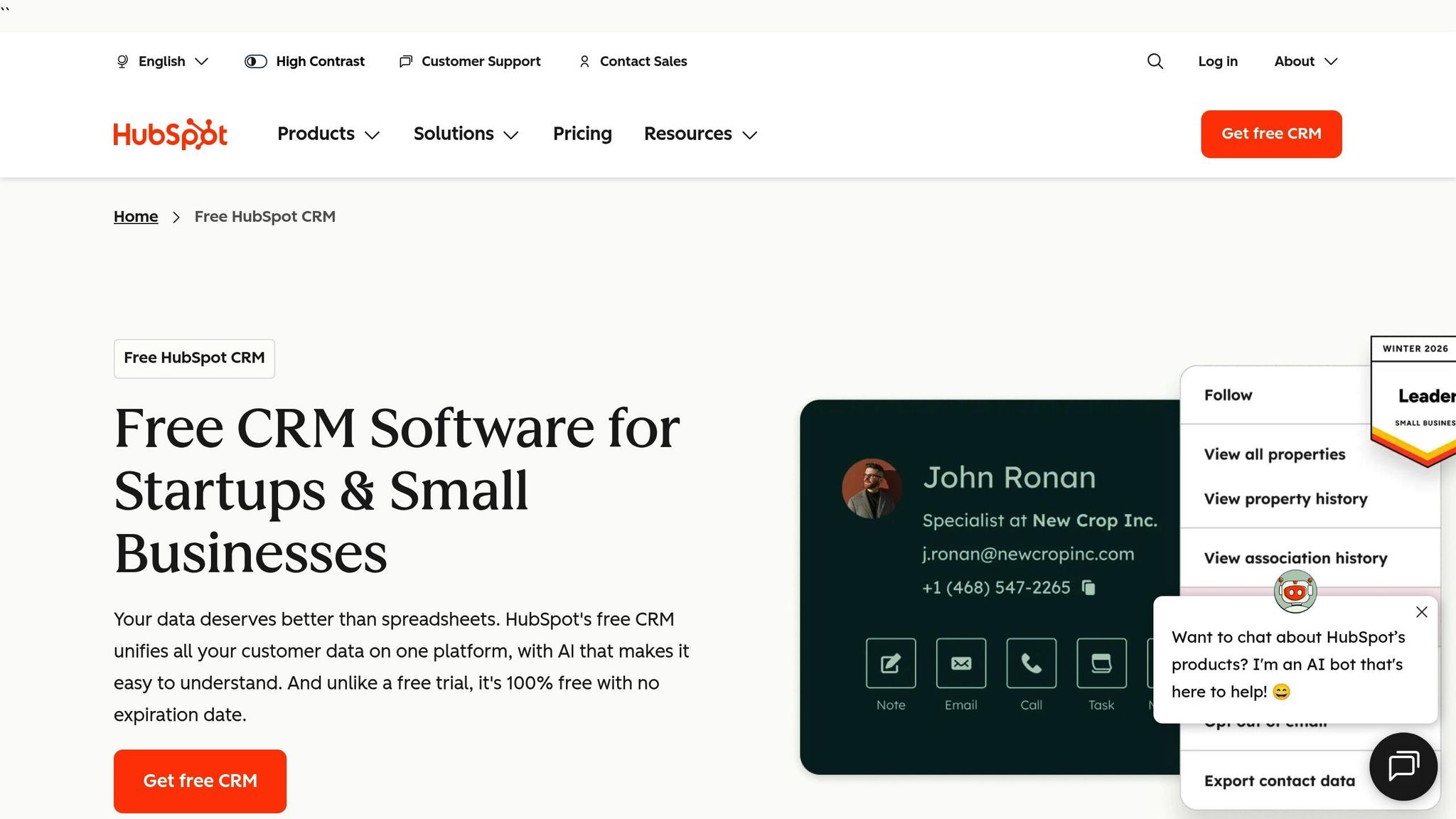
HubSpot CRM’s free tier brings together contact management and detailed reporting, making it a helpful tool for healthcare marketing. This system offers a clear view of patient interactions and marketing performance, all without a price tag. The free version supports up to 2 users and 1,000 contacts, making it a practical choice for small to mid-sized healthcare organizations.
Analytics Capabilities for Healthcare-Specific Use Cases
The free tier includes reporting dashboards that help track website traffic, patient engagement, and campaign performance. It features a standard analytics dashboard to monitor visitor behavior, referral sources, and patient interactions. Additionally, users can send up to 2,000 emails per month, complete with insights on open rates and engagement. Form analytics are also included, helping identify which pages or offers drive the most patient leads.
During a COVID-19 emergency campaign, Fatebenefratelli, a healthcare organization in Italy, used HubSpot’s CRM to consolidate 11 separate websites and manage its fundraising efforts. Francesco Stellini, the organization’s Marketing, Communication, and Fundraising Manager, shared:
“We raised 2.7 million euros, thanks to the solidarity of 4,000 donators. Thanks to HubSpot and Digital Dictionary, today our digital channels can count on 350,000 sessions per year and 4,000 leads”.
The organization also utilized HubSpot’s landing pages and email tools to manage volunteer applications, showcasing the free tier’s ability to handle complex workflows for both patient and donor engagement.
Integration Options with Other Tools
HubSpot’s free tier integrates smoothly with essential healthcare tools. These include Zoom for telehealth consultations, Zapier for automating workflows, Slack and Microsoft Teams for team coordination, Facebook Messenger for patient communication, and Stripe for payment processing. The “HubSpot for WordPress” plugin further simplifies things by syncing website lead data directly into the CRM. These integrations allow healthcare teams to streamline both marketing efforts and patient outreach.
Compliance Considerations (HIPAA, Data Security)
HubSpot ensures compliance with HIPAA standards, offering features like encrypted data storage, audit trails, and controlled access permissions to safeguard sensitive patient information. These tools enable healthcare organizations to maintain secure patient records and communication histories while meeting regulatory requirements.
Cost Limitations (Free Tiers, Usage Limits)
The free tier is available at no cost, supporting up to 2 users, and requires no credit card. However, there are some limitations: users are capped at 2,000 email sends per month, 200 email tracking notifications per month, and support for up to 30 website pages and 30 landing pages – all of which include HubSpot branding. Additionally, the system runs a bi-weekly scan to ensure data quality in patient records. For those needing more features, the Starter plan starts at $9 per month per seat (billed annually), removing HubSpot branding and increasing contact limits.
Final Thoughts
Free analytics tools offer healthcare marketers a cost-effective way to gain valuable insights into patient behavior, measure campaign performance, and boost ROI. The real power, however, comes from using these platforms together rather than in isolation. As Stewart Gandolf, CEO of Healthcare Success, aptly says, “If you can’t measure, you can’t manage”.
For instance, linking Google Analytics 4 (GA4) with Google Search Console reveals the exact search terms patients use to find your practice. Pairing GA4’s behavior flow with Hotjar’s heatmaps goes a step further, helping you pinpoint not only where patients leave your site but also the reasons behind their confusion.
Adding to this, Looker Studio consolidates data from GA4, Google Search Console, and social media platforms into a single, shareable dashboard. This approach transforms scattered data into a unified campaign view, giving stakeholders a clear picture of marketing performance.
That said, a major hurdle for healthcare organizations is maintaining HIPAA compliance. To address this, marketers need to anonymize sensitive data – like symptom-specific pages – and use specialized tools to ensure compliance.
Expert implementation plays a key role in overcoming these challenges. Properly setting up these tools requires technical know-how, especially when dealing with HIPAA regulations. This is where Mazzi Studios steps in, offering specialized services to integrate and configure analytics platforms while ensuring compliance. Their team handles everything from HIPAA-compliant tracking setups to creating custom dashboards, allowing healthcare marketers to focus on strategy instead of technical complexities.
FAQs
How can healthcare organizations ensure their analytics tools comply with HIPAA regulations?
To stay compliant with HIPAA, healthcare organizations need to ensure their analytics tools are designed to safeguard sensitive patient data. This means choosing tools that adhere to strict privacy and security guidelines, such as providing a Business Associate Agreement (BAA), using end-to-end encryption, and implementing access controls to limit who can view the data. Additionally, any tracking technologies must avoid sharing protected health information (PHI) with third-party vendors.
Here are some essential steps to maintain compliance:
- Choose tools designed for HIPAA compliance: Look for options that offer a BAA or allow self-hosted deployment to keep sensitive data protected.
- Prevent PHI collection: This can be done by anonymizing IP addresses, restricting custom data fields, and ensuring no identifiable health information appears in URLs or form fields.
- Enhance security measures: Use encryption to safeguard data and implement multi-factor authentication for stronger access control.
Regularly conducting audits, performing risk assessments, and providing staff training are also critical for maintaining compliance over time. For expert support, Mazzi Studios can assist in selecting, configuring, and managing analytics tools that align with HIPAA standards.
What challenges come with using free analytics tools in healthcare marketing?
Free analytics tools can be useful for handling simple tasks, but they often fall short when it comes to healthcare marketing. One of the biggest challenges is compliance. Many of these tools aren’t built to meet HIPAA requirements, which could lead to the unintentional exposure of protected health information (PHI) to third parties. This not only poses legal risks but also raises serious ethical concerns for healthcare marketers.
Another limitation is the functionality these tools provide. While they may cover basics like tracking website traffic, checking mobile compatibility, or measuring page speed, they usually don’t support more advanced needs. Features like multi-channel attribution, detailed campaign tracking, or long-term data storage are often missing. Because of these gaps, free tools are better suited for quick evaluations or smaller projects. However, they lack the depth, features, and compliance measures necessary for comprehensive healthcare marketing strategies.
How can healthcare marketers use free analytics tools to gain a complete understanding of patient behavior?
To get a clear picture of patient behavior, start by making sure your data collection is consistent across all marketing channels. Use standardized UTM parameters for your campaigns, emails, and social media posts. This ensures tools like Google Analytics (GA4) can accurately track user activity and attribute it to the correct sources. At the same time, always prioritize patient privacy by following HIPAA and HHS guidelines. This means anonymizing sensitive information and turning off third-party trackers on forms that might collect protected health information (PHI).
Once your data is collected, bring it all together in a single, easy-to-read dashboard using tools like Google Data Studio. This allows you to combine key metrics – such as website navigation paths, search query performance, and page speed insights – into one place. With this setup, you can map out the entire patient journey, from their first online search to booking an appointment. Regularly reviewing this dashboard can help you spot where patients drop off and highlight areas where you can make improvements.
If setting up tracking or creating dashboards feels overwhelming, Mazzi Studios offers expert help. They can assist with everything from ensuring compliance to turning your raw data into actionable insights that drive better patient acquisition and retention.
Related Blog Posts
- B2B Marketing ROI: Measuring What Really Matters
- AI Content Optimization for Healthcare
- 7 Common Healthcare Marketing ROI Mistakes
- Top AI Strategies for Healthcare ROI
Last Updated on March 4, 2026.

Marketing leader, drummer, husband and father of two amazing teenage athletes. Ricardo has been involved in digital marketing for over decades holding leadership positions for various healthcare tech companies. He founded Mazzi Studios during the pandemic to help businesses of all industries plan and execute marketing strategies.